

IRCC-IP
What is IRCC-IP
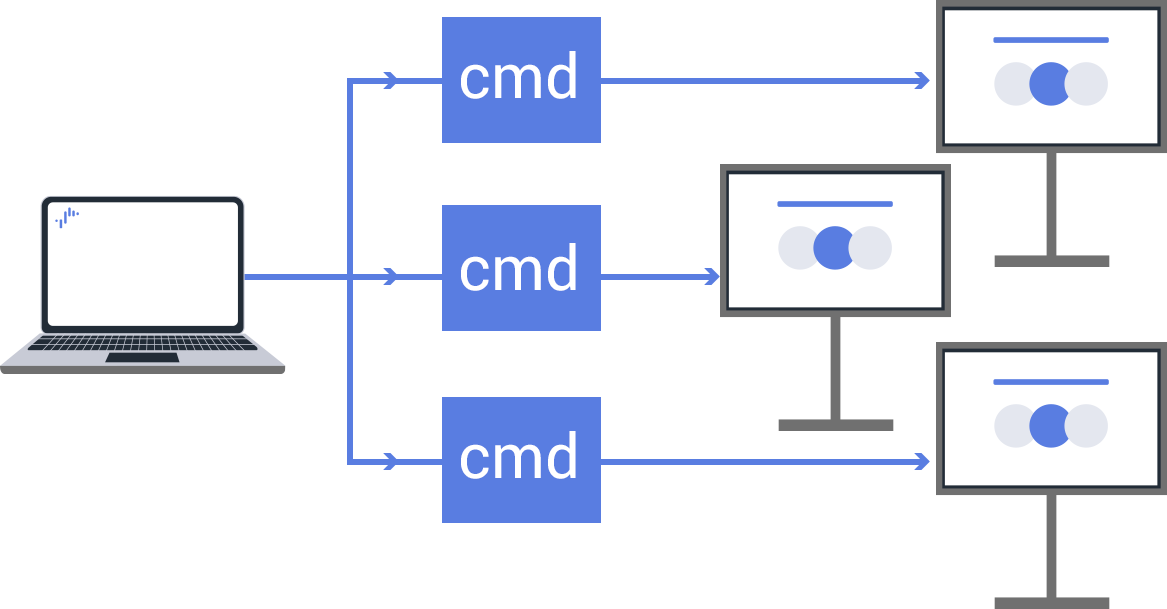
IRCC-IP (InfraRed Compatible Control over Internet Protocol) is a communication protocol that emulates infrared remote control operations over an IP network. It enables IP-based execution of operations equivalent to those performed with a physical remote control, such as monitor power control, volume adjustment, and input source switching.
Features
Control Like Using a Remote Controller
You can remotely control the monitor with the familiar feel of a physical remote control. Control is performed individually by IP address, enabling operation of multiple displays.
Communication Specifications and Security Measures
IRCC-IP sends commands in XML messages over the SOAP protocol. The syntax is clear and easy to implement as HTTP POST requests. Supports Pre-Shared Key authentication to prevent unauthorized command transmission.
Control via Web Application Integration
By integrating with HTML5 or Android applications, custom UI button operations can be immediately reflected on displays on the local network. This enables flexible control based on user operations.
Preparation and Implementation Guide
Preparation
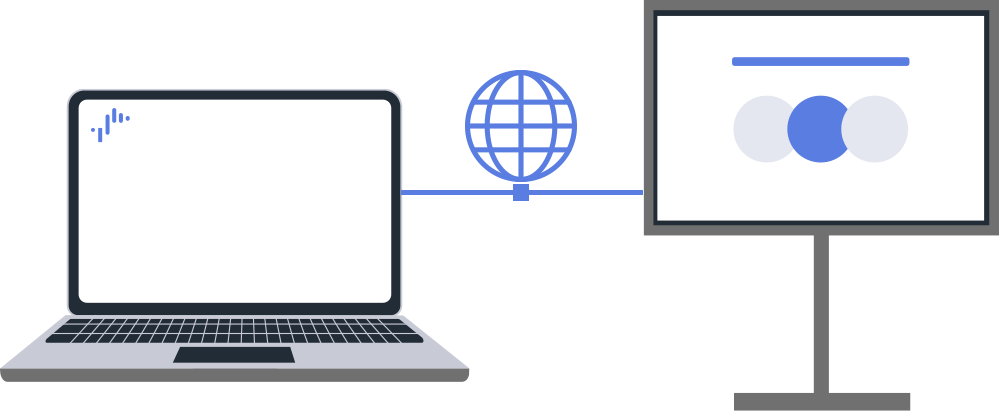
- Connect computer and monitor to the same network.
- Both wired and wireless LANs are supported.
Required Monitor Settings
Monitor Settings and Power Management
Set Authentication Method and Key
Configure the display’s authentication method according to the client’s requirements under the Monitor settings.
Procedure: [Settings] → [Network & Internet] → [Home network] → [IP control] → [Authentication].
See details
Enable Remote Control from a Device
When you register and enable the device you want to use for remote control, you can control the display from that device.
Procedure: [Settings] → [Network & Internet]→[Remote device settings]→[Control remotely]
Disable Suspended
You can also address suspend state limitations by using the REST API.
See details
Recovery from Suspend State
If the monitor is unintentionally suspended, the HTTP server stops and IRCC-IP communication is not possible. In this case, enable Wake-on-LAN (WoL: remote startup via network) to restore power to the monitor.
1.Enable Wake-on-LAN
Procedure: [Settings] → [Network & Internet]→[Remote device settings]→[Control remothely]
2.Recovery from Suspend State via Wake-on-LAN
We recommend sending magic packets multiple times.
Procedure for Recovery from Suspend State Using WoL Magic Packet
Obtain MAC Address
By calling “getSystemInformation” in Chrome DevTools, you can check the monitor’s MAC address.
http://[Monitor's IP Address]/sony/system
Example for HTTP Request
POST /sony/system HTTP/1.1
Host: 192.168.0.100
Content-Type: application/json
X-Auth-PSK: 1234
{
  "method": "getSystemInformation",
  "params": [],
  "id": 1,
  "version": "1.0"
}Example for Response
{
  "result": [{
    "macAddr": "00:11:22:33:44:55",
    ...
  }],
  "id": 1
}Create WoL Magic Packet
A WoL magic packet is a UDP packet consisting of “FF FF FF FF FF FF” + the MAC address repeated 16 times. Generate based on the display’s MAC address.
Send Magic Packet
Send multiple magic packets over UDP port 9 or 7 to the broadcast address of the target display on the network. Send multiple times to ensure reliable activation of the display.
Confirm Power ON State
After sending the magic packets, wait for IRCC-IP communication to become available.
In “Normal Mode” Environment
After turning on the power, you need to switch the screen to display mode by using “setPowerStatus.”
In “Pro Mode” Environment
The screen automatically turns ON.
Execute IRCC-IP Control
Once communication is available, use IRCC-IP to control power, input, and other functions.
Client settings (Authentication Method and Communication Parameter Transmission Method)
Pre-Shared Key
The Pre-Shared Key must be sent to IRCC-IP as a custom header “X-Auth-PSK” in the HTTP request.
Example for X-Auth-PSK Header (Pre-Shared Key: 1234)
POST /sony/IRCC HTTP/1.1
Host: 192.168.1.100:80
Content-Type: application/json
X-Auth-PSK: 1234
Content-Length: 85Basic Configuration, Keys and IRCC Codes
The control URL for IRCC-IP HTTP requests is:
http://[IP]/sony/ircc
Example for IRCC-IP HTTP Request (Pre-Shared Key: 1234)
POST /sony/ircc HTTP/1.1
HOST: 192.168.0.1
Accept: */*
Content-Type: text/xml; charset=UTF-8
SOAPACTION: "urn:schemas-sony-com:service:IRCC:1#X_SendIRCC"
X-Auth-PSK: 1234
Connection: Keep-Alive
Content-Length: 313
POST /sony/ircc
Endpoint for IRCC-IP control (fixed URL)
HOST: 192.168.0.1
The display’s IP address
SOAPACTION
IRCC-IP command you want to run (example: X_SendIRCC)
X-Auth-PSK: 1234
Pre-Shared Key for authentication. Must match the value set in the display.
Keys and IRCC Codes
The same information can be obtained by calling getRemoteControllerInfo in the REST API.
| Key | IRCC Code (Base64 Encoded) |
|---|---|
| Power | AAAAAQAAAAEAAAAVAw== |
| Input | AAAAAQAAAAEAAAAlAw== |
| SyncMenu | AAAAAgAAABoAAABYAw== |
| Hdmi1 | AAAAAgAAABoAAABaAw== |
| Hdmi2 | AAAAAgAAABoAAABbAw== |
| Hdmi3 | AAAAAgAAABoAAABcAw== |
| Hdmi4 | AAAAAgAAABoAAABdAw== |
| Num1 | AAAAAQAAAAEAAAAAAw== |
| Num2 | AAAAAQAAAAEAAAABAw== |
| Num3 | AAAAAQAAAAEAAAACAw== |
| Num4 | AAAAAQAAAAEAAAADAw== |
| Num5 | AAAAAQAAAAEAAAAEAw== |
| Num6 | AAAAAQAAAAEAAAAFAw== |
| Num7 | AAAAAQAAAAEAAAAGAw== |
| Num8 | AAAAAQAAAAEAAAAHAw== |
| Num9 | AAAAAQAAAAEAAAAIAw== |
| Num0 | AAAAAQAAAAEAAAAJAw== |
| Dot(.) | AAAAAgAAAJcAAAAdAw== |
| CC | AAAAAgAAAJcAAAAoAw== |
| Red | AAAAAgAAAJcAAAAlAw== |
| Green | AAAAAgAAAJcAAAAmAw== |
| Yellow | AAAAAgAAAJcAAAAnAw== |
| Blue | AAAAAgAAAJcAAAAkAw== |
| Up | AAAAAQAAAAEAAAB0Aw== |
| Down | AAAAAQAAAAEAAAB1Aw== |
| Right | AAAAAQAAAAEAAAAzAw== |
| Left | AAAAAQAAAAEAAAA0Aw== |
| Confirm | AAAAAQAAAAEAAABlAw== |
| Help | AAAAAgAAAMQAAABNAw== |
| Display | AAAAAQAAAAEAAAA6Aw== |
| Options | AAAAAgAAAJcAAAA2Aw== |
| Back | AAAAAgAAAJcAAAAjAw== |
| Home | AAAAAQAAAAEAAABgAw== |
| VolumeUp | AAAAAQAAAAEAAAASAw== |
| VolumeDown | AAAAAQAAAAEAAAATAw== |
| Mute | AAAAAQAAAAEAAAAUAw== |
| Audio | AAAAAQAAAAEAAAAXAw== |
| ChannelUp | AAAAAQAAAAEAAAAQAw== |
| ChannelDown | AAAAAQAAAAEAAAARAw== |
| Play | AAAAAgAAAJcAAAAaAw== |
| Pause | AAAAAgAAAJcAAAAZAw== |
| Stop | AAAAAgAAAJcAAAAYAw== |
| FlashPlus | AAAAAgAAAJcAAAB4Aw== |
| FlashMinus | AAAAAgAAAJcAAAB5Aw== |
| Prev | AAAAAgAAAJcAAAA8Aw== |
| Next | AAAAAgAAAJcAAAA9Aw== |