


Security Information
White Paper
| Title | Size | Link |
|---|---|---|
| BRAVIA Professional Display Security White Paper (PDF) | 100KB | Link |
Overview
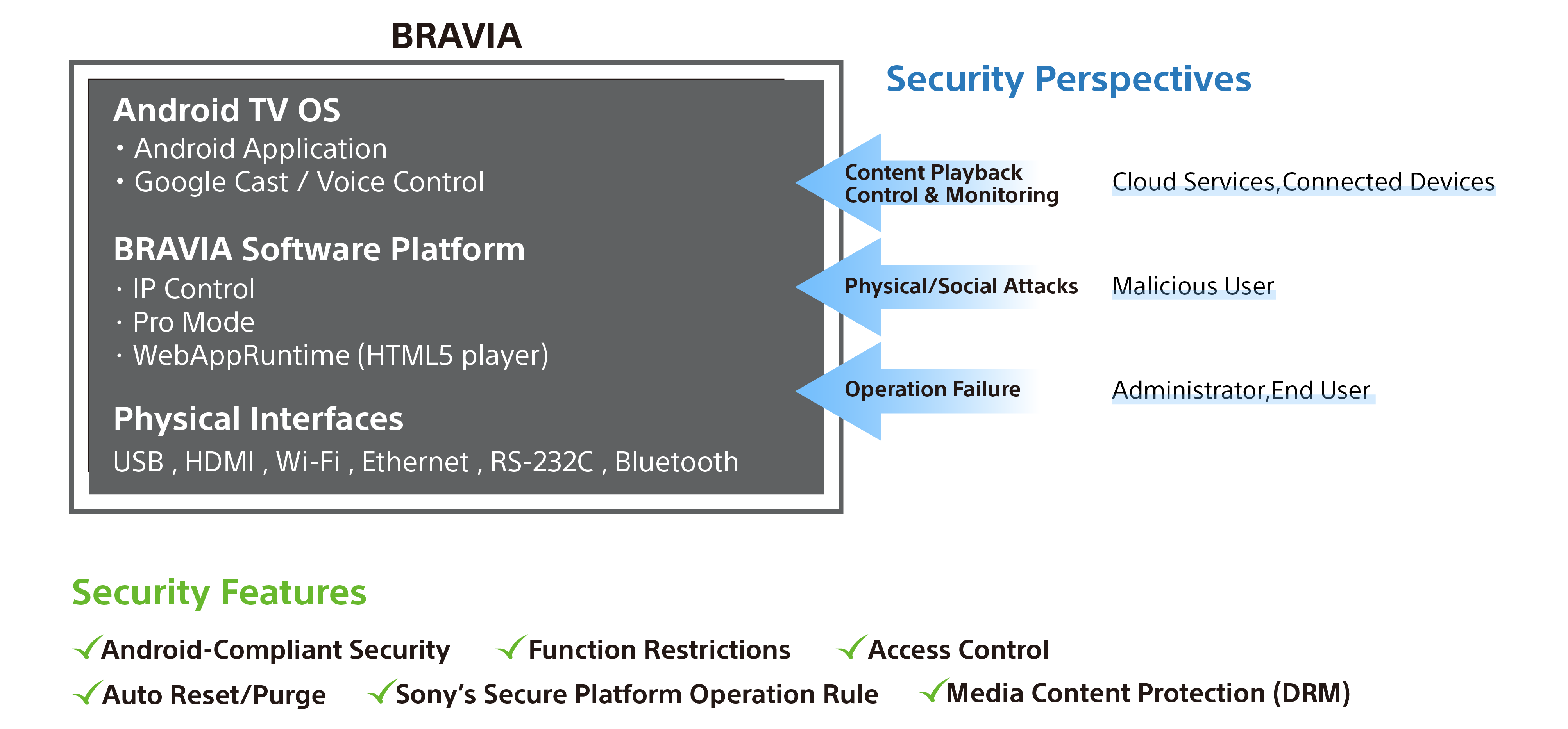
1. Android TV OS
Basic Guideline
- BRAVIA complies with Android TV security policy
- Firmware package released from Sony passes Google CTS
-
BRAVIA regularly assesses product vulnerabilities and provides patches and updates as necessary
- You can check the Android Security Bulletins from the following site
- https://source.android.com/docs/security/bulletin external link
- You can check the security patch level applied to your BRAVIA from “Settings > System > About”
Application Development
- Sony never provides “root privilege” to 3rd party companies.
- 3rd party companies cannot develop apps with “system privilege”
ADB Debug
- Not allowed to acquire root privilege
2. Pro mode
About Pro mode
- BRAVIA provides dedicated mode for professional users
- During pro mode, critical settings for secure operation cannot be changed
- Pro mode can be locked by PIN code decided by owner
- To get more info, please visit Pro mode
Available features for security purposes
- Expire account information of the apps every power off/on cycle
- Hide settings menu on home screen
- Invalidate specified apps, display buttons, remote controller command
- Prohibit USB firmware update
3. Connectivity
- Each interface can be disabled by settings menu
| Item | Item setting path |
|---|---|
| RS-232C | Settings > Remotes & Accessories > RS232C control |
| HDMI CEC | Settings > Inputs > External inputs > BRAVIA Sync settings |
| Bluetooth | Settings > Remotes & Accessories > Bluetooth settings |
| Wi-Fi | Settings > Network & Internet > Wi-Fi |
| Soft-AP | Pro settings > Wi-Fi access point |
| Android Voide Control | Settings > Remotes & Accessories > Bluetooth settings |
| Google Cast | Settings > Apps > Chromecast built-in (or Chromecast Android Shell) |
4. Network
IP Control
- Authentication mechanism is supported (Pre-shared key & Cookie based)
- To get more info, please visit IP Control Overview
Root CA
- Android TV default CA certificates are used
- WebAppRuntime (HTML5 player) uses the same CA certificates
Wireless Connection
- WPA2-PSK(AES, TKIP) is supported
5. Content Protection
Streaming
- WebAppRuntime (HTML5 player) supports the below DRMs for video playback
| Streaming Protocol | DRM |
|---|---|
| MPEG DASH | Widevine ("cenc" scheme) Microsoft PlayReady SL2000 |
| Microsoft Smooth Streaming | Microsoft PlayReady SL2000 |
| HTTP Live Streaming (HLS) | Sample AES |
HDMI
- Compliant with HDCP 2.3 (BZ30J Series)